
Creating a popup used to mean starting with a blank canvas and working through every little detail yourself. You had to choose a layout, write the headline and copy, pick the right images, adjust colors and fonts, and make sure everything worked well together. It could take quite a bit of time, especially when you were creating popups for different campaigns or goals.
AI changes that workflow.
Instead of building a popup element by element, you can simply describe what you want in plain language and let AI turn your idea into a complete design. In just a few moments, you can go from a simple idea to a ready-to-customize popup, without spending time figuring out every design decision from scratch.
But generating a popup is only part of the process. The real value comes from creating something that fits your website, communicates the right message, and gives visitors a clear reason to take action. For example, if your goal is to collect more email subscribers, you may also want to learn How to Increase Your Email List and use those strategies when planning your popup.
In this guide, we’ll show you how to create a popup with AI in WordPress using Depicter, from writing your first prompt to customizing the generated design and getting it ready to publish.
What Is an AI Popup Builder?
An AI popup builder is a popup creation tool that uses artificial intelligence to help you design a popup based on a description or prompt.
Instead of manually deciding how every part of the popup should look, you can tell the AI what you want to create.
For example, you could ask it to create:
A promotional popup for a summer sale with a bold headline, a short description, a product image, and a Shop Now button.
Depending on the tool you use, AI can help generate the popup’s layout, content, visual style, colors, typography, buttons, and other elements.
The important part is that AI doesn’t have to replace the visual editor. It can simply give you a strong starting point that you can edit and customize.
This makes an AI popup builder for WordPress especially useful when you want to create a professional-looking popup without spending a lot of time designing it manually.
Why Create a Popup with AI?
Creating a popup becomes much easier when you can simply describe what you have in mind and let AI turn that idea into a design. Instead of spending time figuring out every detail yourself, you can start with a simple idea and use AI to bring it to life.
This can be especially helpful when you don’t have a clear design in mind yet. Maybe you know that you want to promote a new product, collect email subscribers, or offer a discount, but you don’t know exactly what the popup should look like. With an AI popup builder, you can describe your goal and let AI come up with a design that gives you a solid starting point.
It can also save you time when you simply don’t want to spend hours working on the design. Even though many popup builders offer free popup templates that you can start with, sometimes none of them quite match what you have in mind. In those cases, being able to tell AI exactly what you want can be much more convenient than searching through dozens of templates and trying to adapt one to your idea.
AI can also be useful when you have only a rough idea in your head. You don’t need to know exactly which layout, colors, elements, or content you want. You can describe the idea in your own words, and AI can turn that description into a complete popup concept that you can then customize to fit your website.
For example, you might simply say:
Create a clean popup for a summer sale with a product image, a short promotional message, and a Shop Now button.
From there, AI can give you a designed popup to work with, rather than leaving you wondering how to turn that idea into an actual design.
The biggest advantage is simple: you can focus on what you want your popup to achieve instead of spending all your time figuring out how to design it.
How to Create a Popup with AI in WordPress
If you’re also looking to create sliders with AI, Depicter has you covered there too. You can learn how to Create a Slider with AI in our dedicated guide.
Now let’s look at how to create an AI popup in WordPress using Depicter.
Before getting started, make sure you have the Depicter plugin installed.
You can easily find and install it by searching “Depicter” in the Plugins section of your WordPress dashboard.
For a step-by-step guide with a video tutorial, check our guidelines here.
Okay, let’s get started.
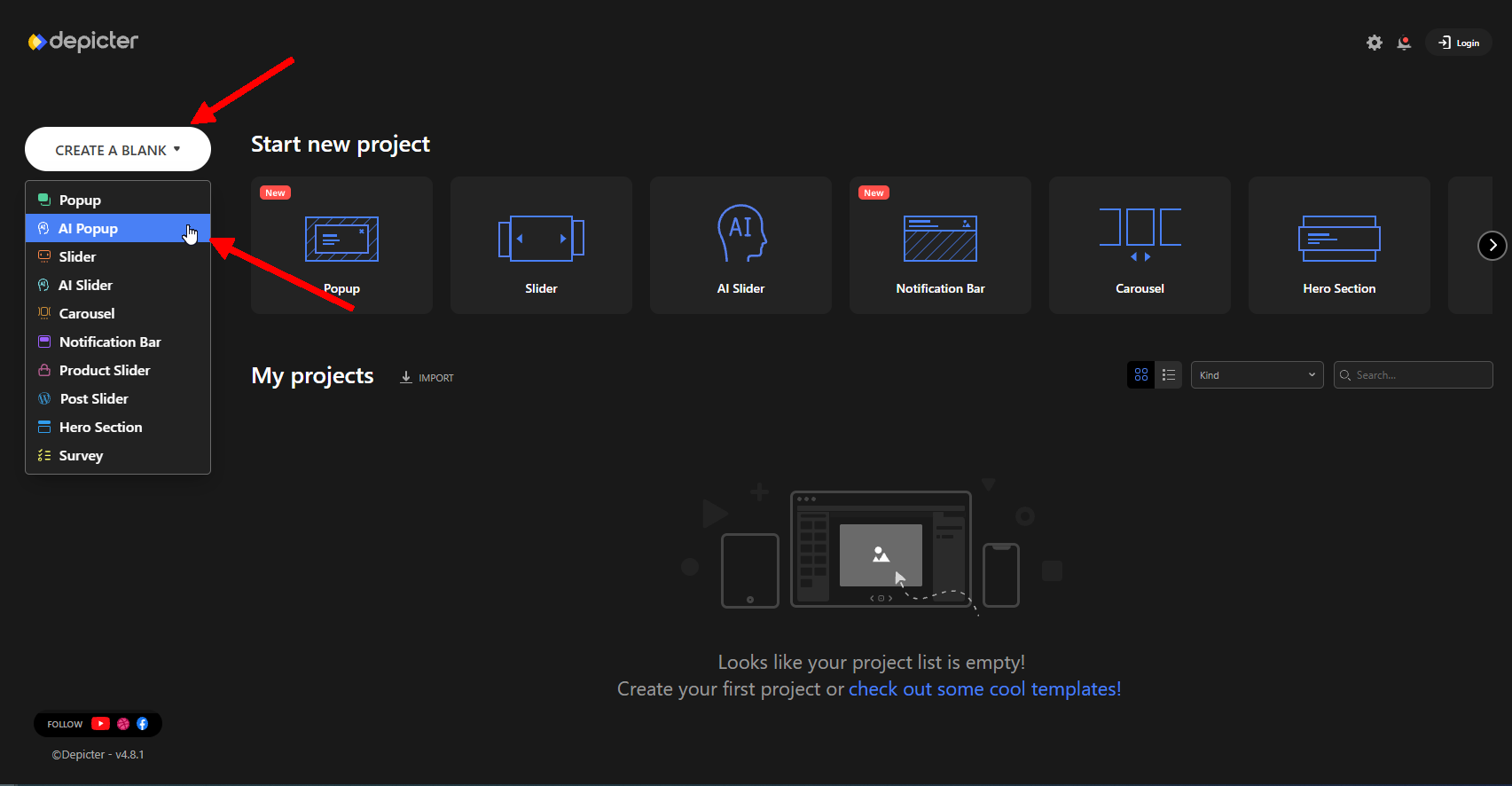
To begin, click Create a blank and select AI Popup to enter the wizard.
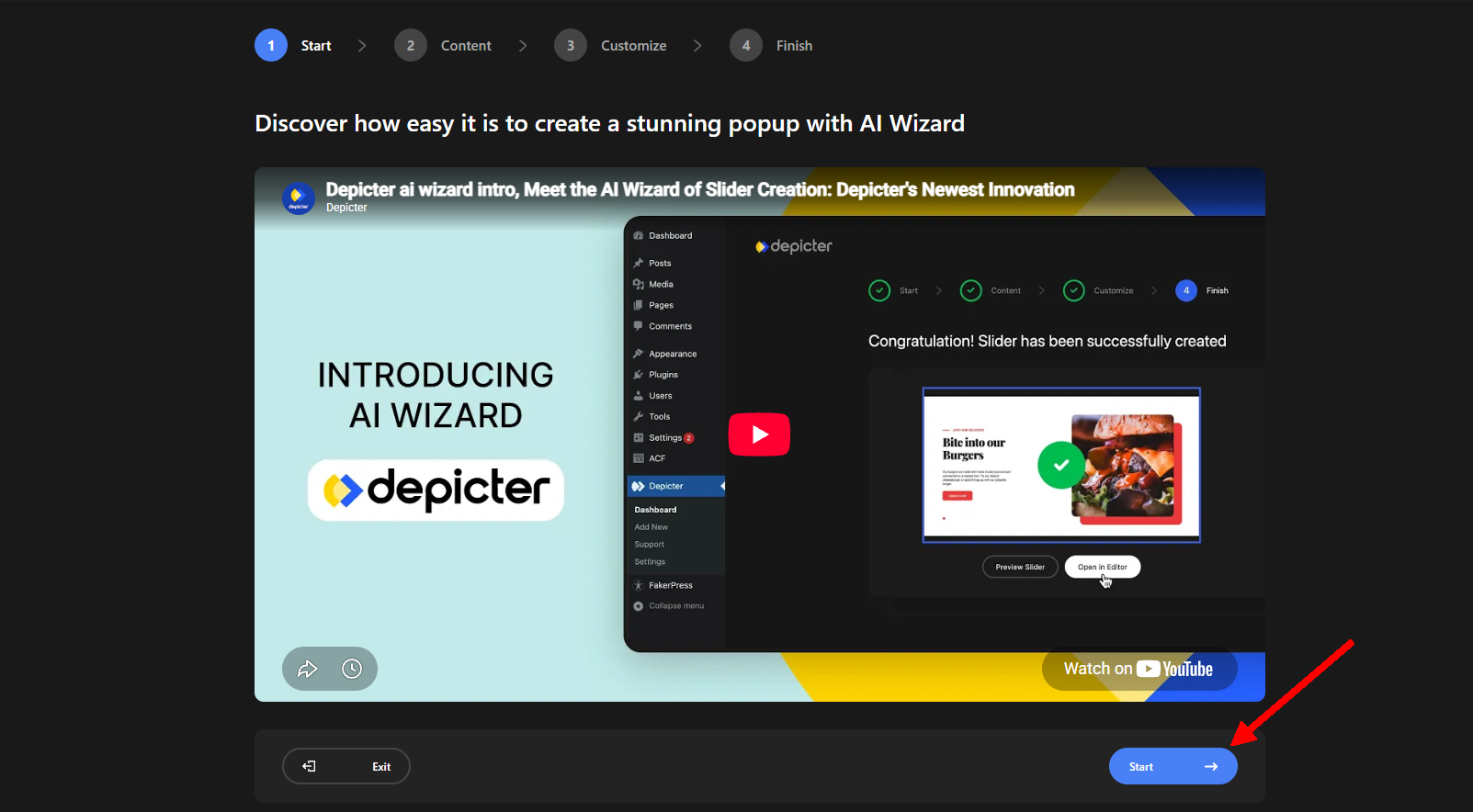
Here, you can watch a short video introducing the wizard and how it works. Once you’re ready, click Start.
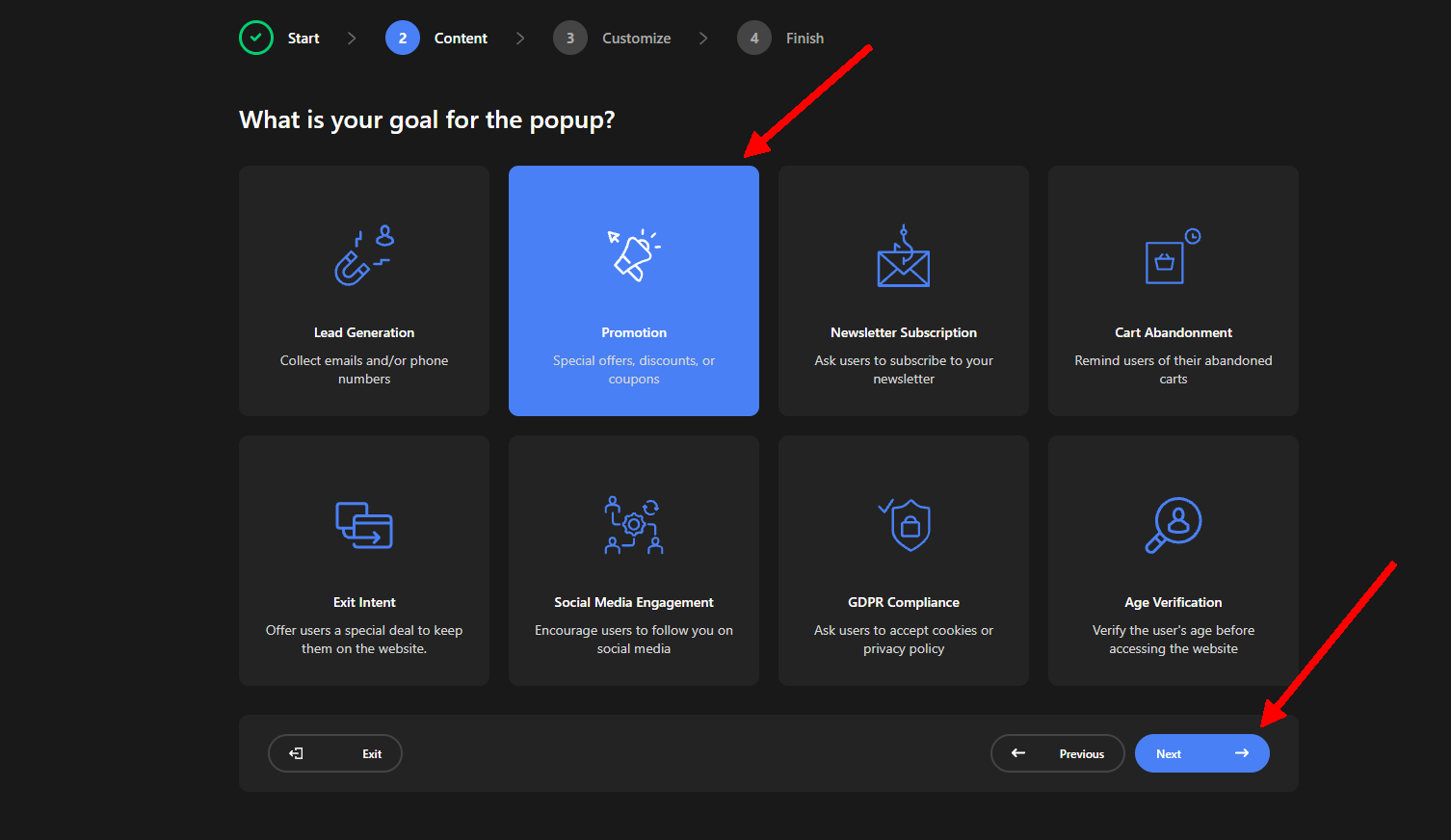
The first step is to define your Goal. From the available options, you can choose what you want your popup to achieve, such as Lead Generation, Promotion, Exit Intent, or any of the other goals you see here.
Choosing a goal helps AI understand the purpose of your popup and make more relevant design and content suggestions based on what you’re trying to achieve.
For this example, we’ll select Promotion and move on to the next step.
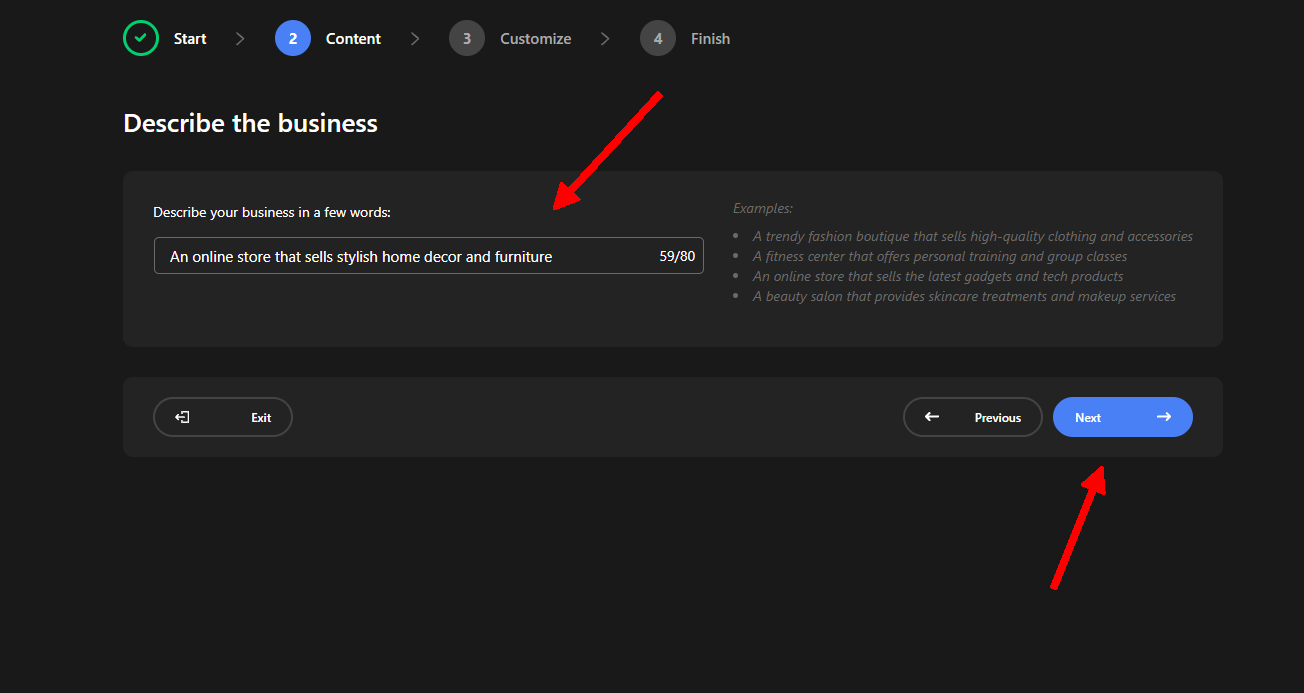
This is where you provide a prompt to AI and describe what you want. You’ll also find a few examples to help you understand how to describe your idea and what kind of information you can provide.
Your prompt can influence several important aspects of the generated popup, including the images and other design elements.
For our example, we’ll describe the type of popup we need for the decor shop we’re creating it for. A short and clear description is enough to give AI the context it needs.
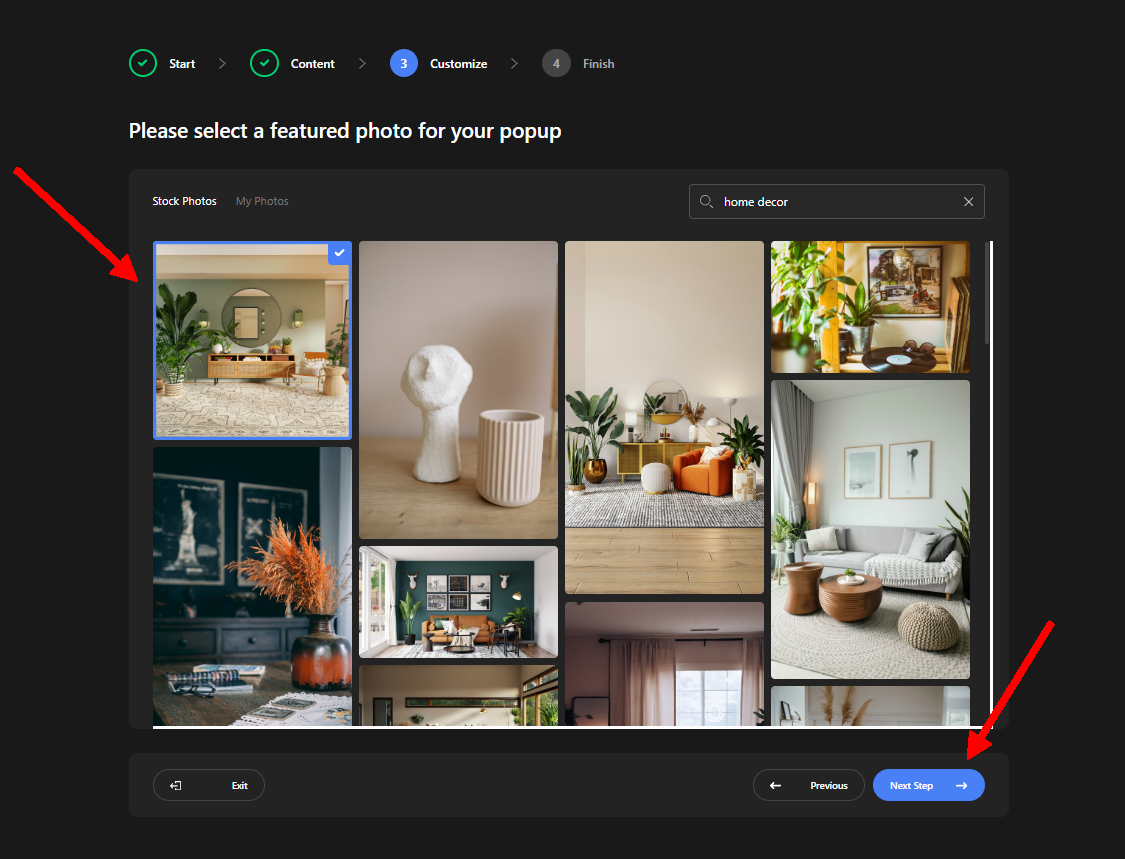
Next, we can choose one of the images suggested by AI. If you prefer, you can also select an image directly from your own Media Library.
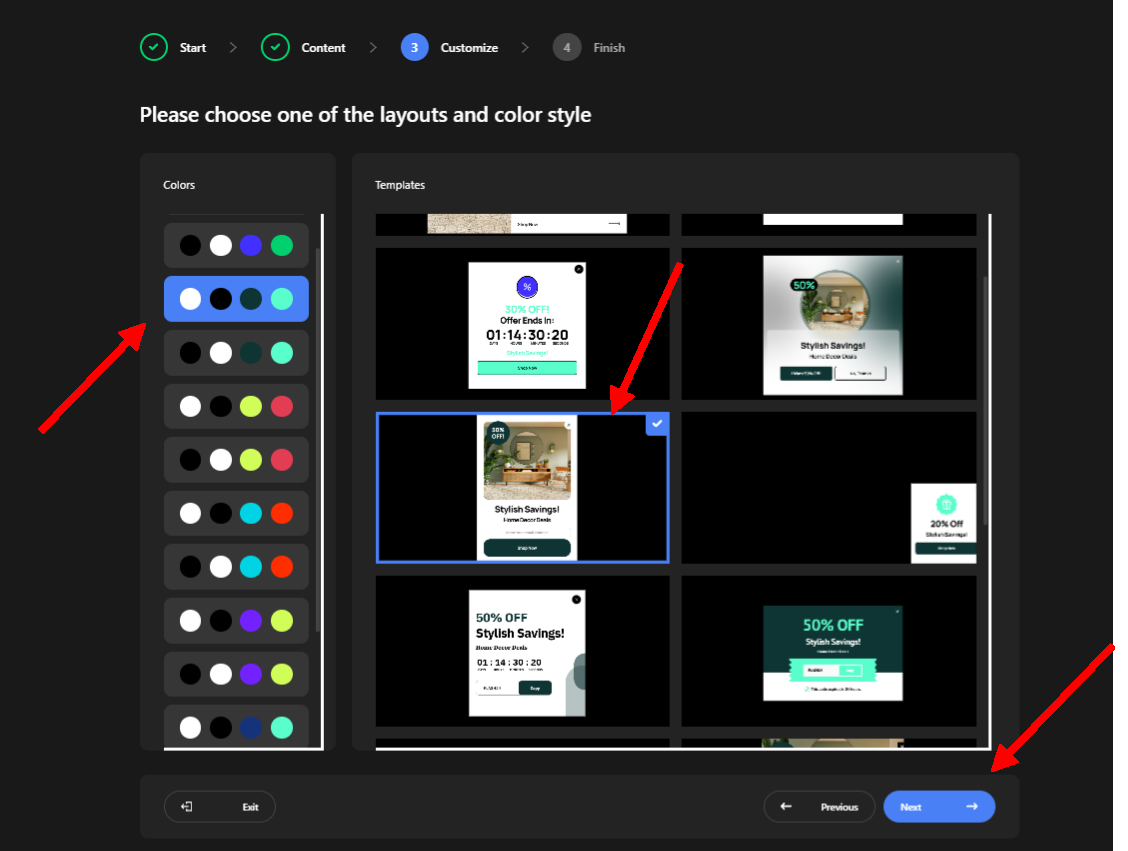
Now we’re at the final step. Here, AI provides several different layout options for our popup, along with options to customize the colors.
We’ll choose the combination we like and click Next.
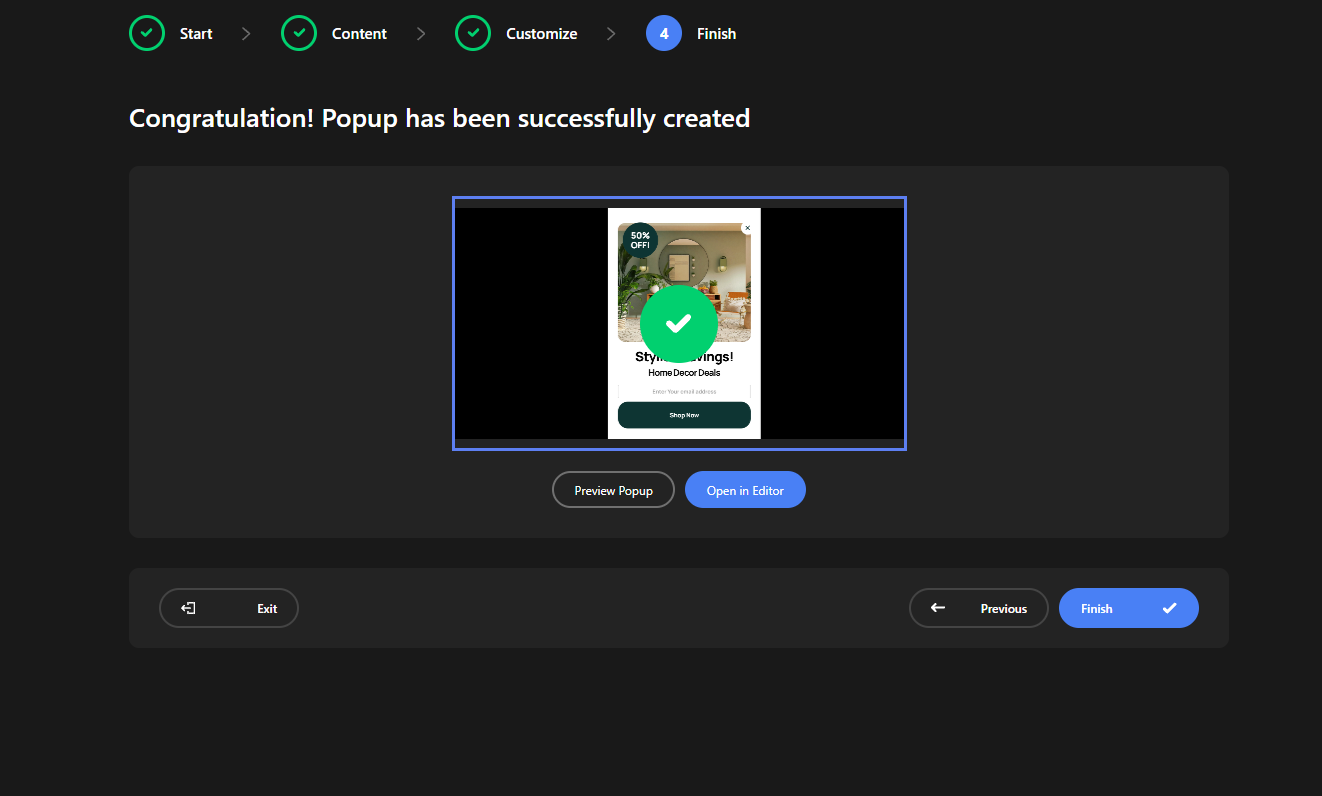
That’s it! We can now preview the popup or click Finish to complete the creation process.
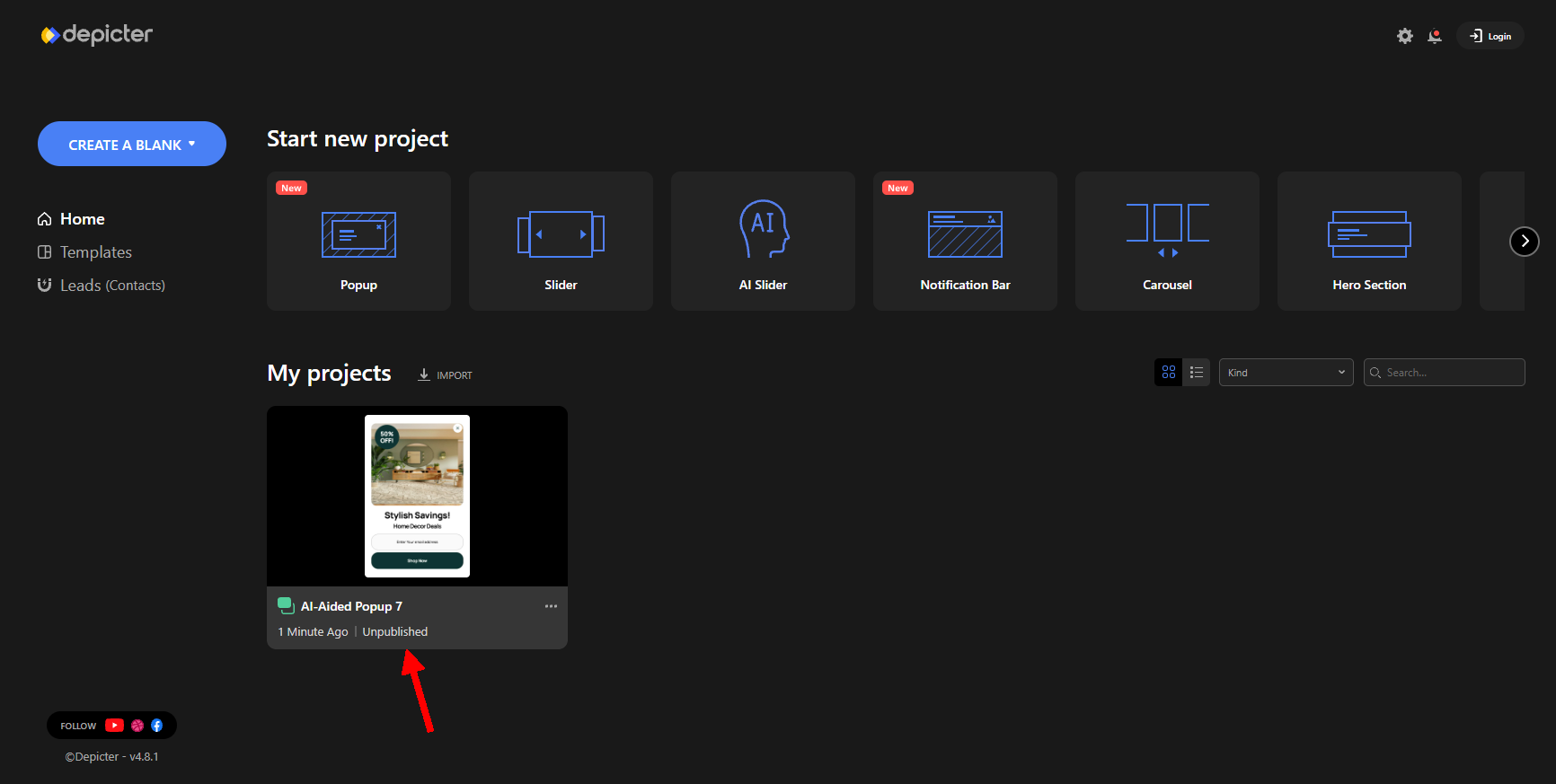
But keep in mind that the popup isn’t live yet. It hasn’t been published, so it won’t appear on your website at this point.
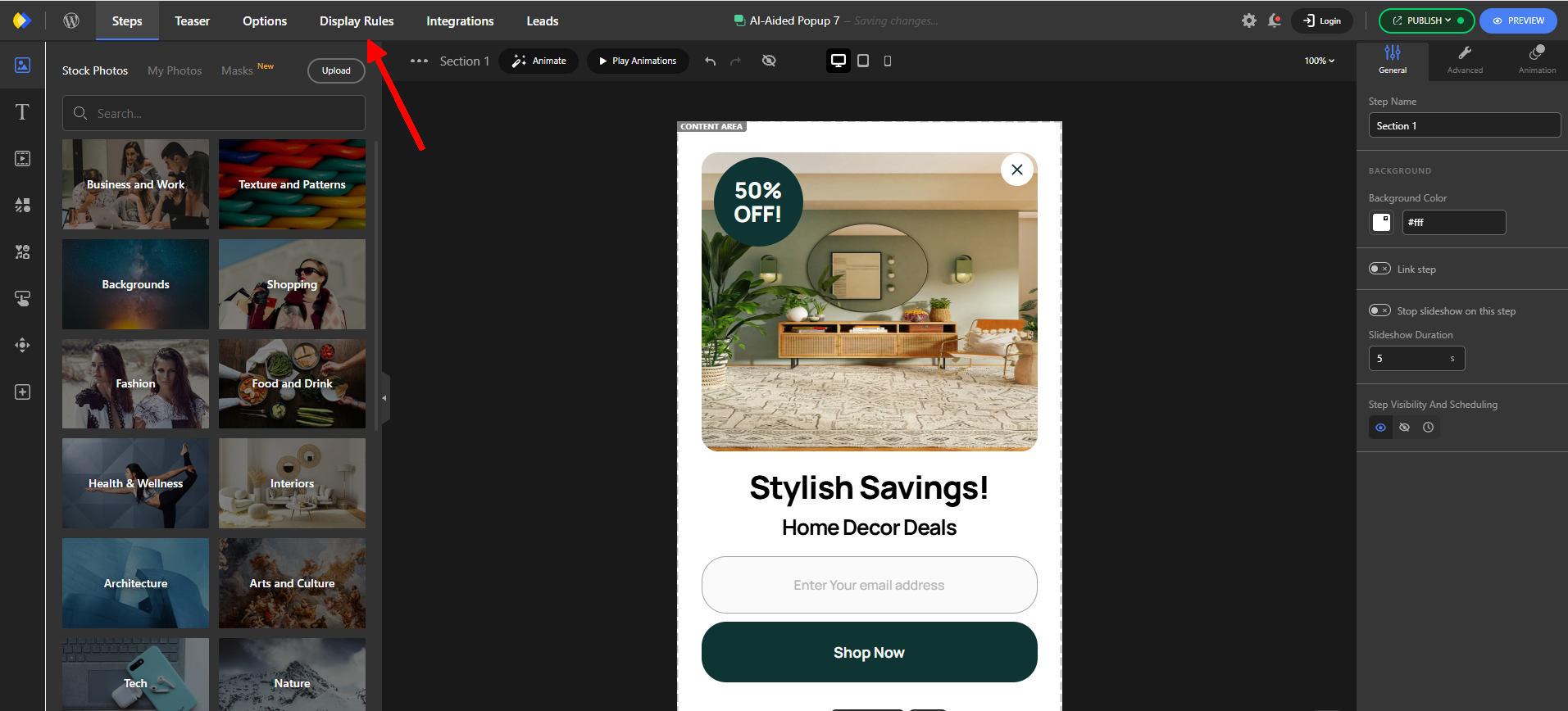
To make it live, simply open the popup in the Depicter editor and click Display Rules from the menu.
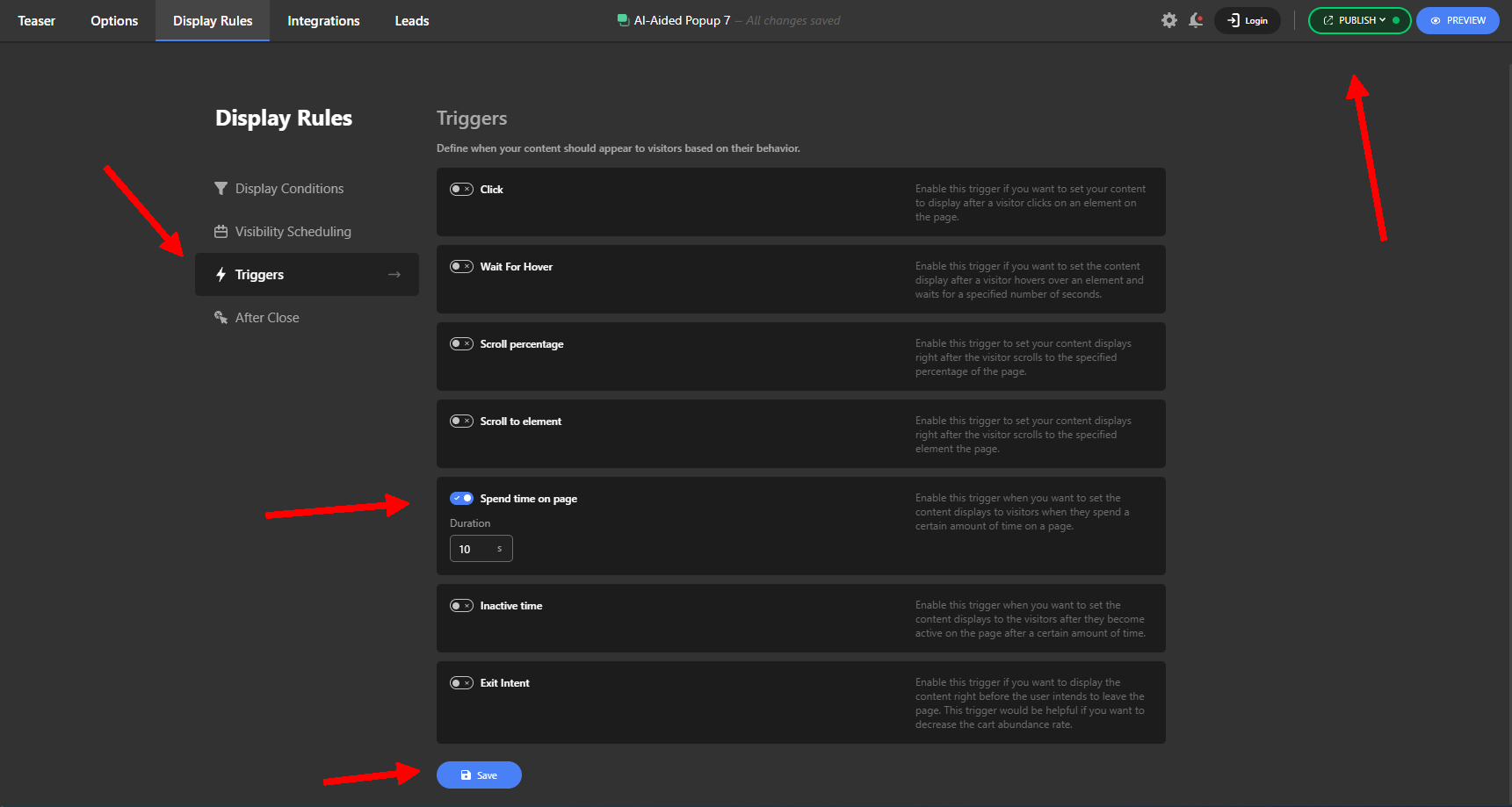
This is where you can control how and when your popup appears. You have several options, including Display Conditions, Scheduling, and After Close settings. Together, these options allow you to target your audience and make sure the popup appears to the right people, at the right place, and at the right time.
For this example, we’ll only set one Trigger. We’ll configure the popup to appear after the visitor has been on the website for 10 seconds.
Finally, save your settings and click Publish.
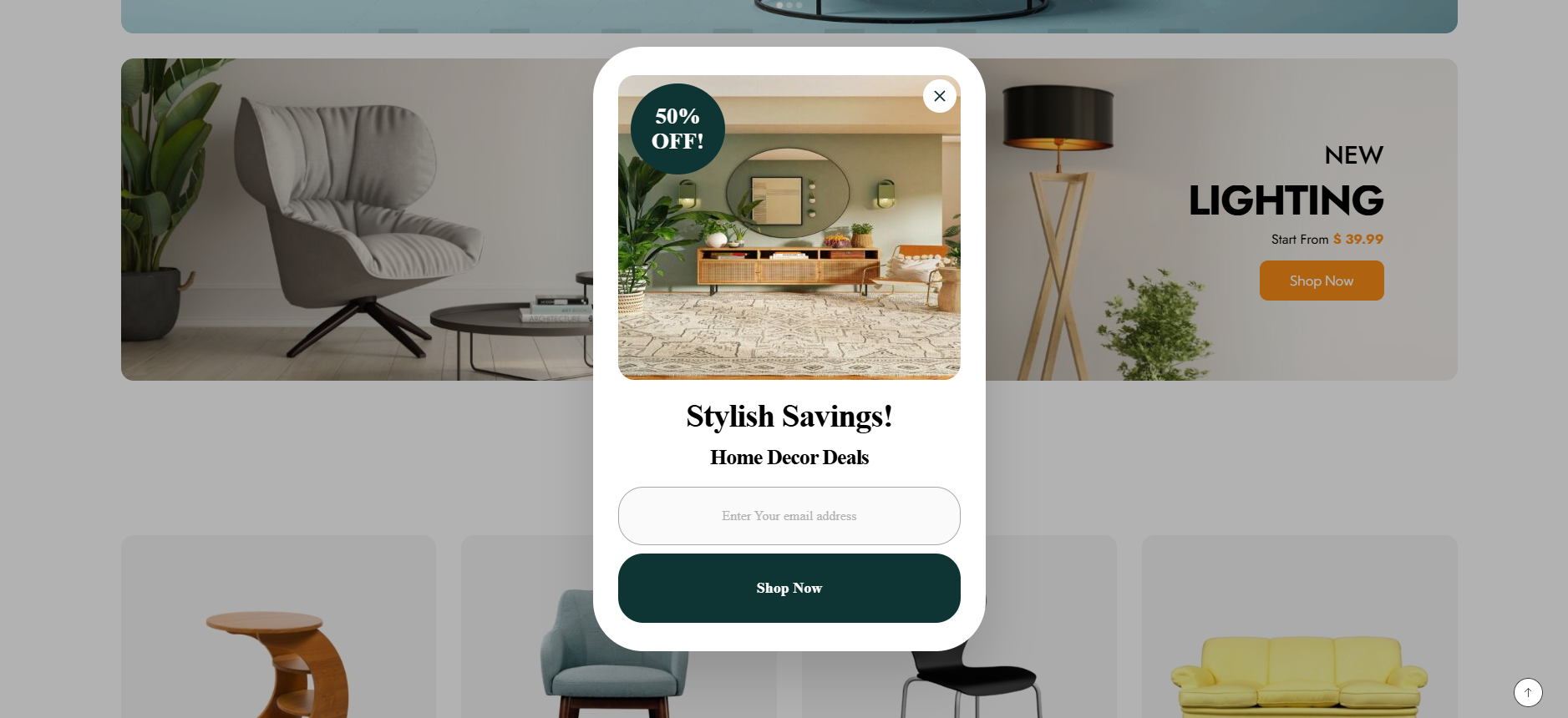
That’s it! Your popup is now live, and you can visit your website to see it in action.
Oh, and if you’re wondering which theme we used to build this website, we went with Phlox, one of the Best Free Elementor Themes.
Conclusion
AI is changing how websites are designed, and popups are no exception.
Instead of spending time building every popup element from scratch, you can describe your goal and use an AI popup builder to create a starting design in much less time.
The key is not to let AI make every decision for you. Use it to handle the repetitive parts of the process, then customize the design, message, and behavior to fit your website.
With Depicter, you can create a popup with AI in WordPress, customize the generated design visually, and turn your idea into a ready-to-publish popup without coding.
Leave Comment