
When something good happens on your website, a simple confirmation message can tell users that their action was successful. But sometimes, you want that moment to feel a little more special.
This is where a confetti effect can make a difference.
From completing a purchase to submitting a form or signing up for a service, a short burst of animated confetti can turn an ordinary interaction into a more memorable experience. Instead of simply telling users that they succeeded, you can visually celebrate the moment with them.
In this article, we’ll look at what a confetti effect is, why you might want to use one on your website, where it works best, and some best practices for using it without distracting your visitors.
What Is a Confetti Effect?
A confetti effect is a visual animation that displays colorful particles falling, bursting, or spreading across part of the screen. It is commonly associated with celebrations, achievements, and successful actions.
You’ve probably seen similar effects after completing an online purchase, winning something in a game, completing a task, or reaching an important milestone.
On a website, a confetti animation can serve a similar purpose. It provides visual feedback that something positive has just happened.
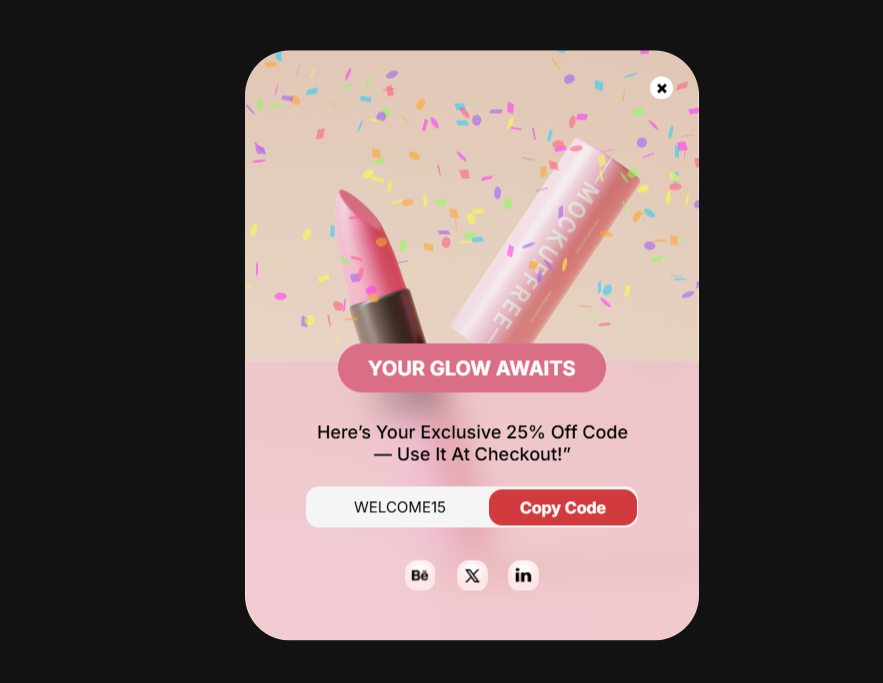
For example, you want to promote your sales, and after a visitor successfully submits a form, instead of showing only a message such as “Your form has been submitted,” you can trigger a short celebration animation.
The effect doesn’t need to be complicated. Even a simple burst of particles can make a successful interaction feel more rewarding.
Why Add Confetti to Your Website?
A confetti effect on website interactions isn’t necessary for every situation and is mostly used on a website popup. However, when used at the right moment, it can add personality and improve the overall user experience.
Celebrate User Actions
One of the most useful purposes of website confetti is celebrating an action completed by the visitor.
For example, you can trigger the animation when someone:
- Successfully submits a form
- Completes a registration
- Creates an account
- Finishes a course
- Completes a purchase
- Reaches a specific goal
The animation gives users immediate visual feedback and makes it clear that their action was successful.
Create a More Engaging Experience
Websites can sometimes feel very static. A small animation can make interactions feel more dynamic and responsive.
A well-timed confetti animation gives users something visual to respond to and can make an otherwise ordinary interaction more engaging.
The key is timing. Confetti works best when it is connected to something the user has just accomplished rather than appearing randomly.
Make Success Feel More Rewarding
A success message provides information, but a celebration can add emotion to the experience.
For example, completing an online course is a meaningful achievement. A short celebration effect can reinforce that feeling and make the completion moment more satisfying.
The same principle can apply to ecommerce, SaaS products, membership websites, and other websites where users complete meaningful actions.
Add Personality to Your Website
A confetti effect can also help your website feel more playful and memorable.
Not every website needs a serious or minimal visual style. For brands that have a more energetic, friendly, or playful identity, adding a small celebration effect can fit naturally into the overall experience.
When Should You Use a Confetti Effect?
The best confetti for website interactions is connected to a meaningful user action.
Here are some situations where it can work particularly well.
After a Successful Form Submission
Forms are one of the simplest places to use a celebration effect.
After a visitor submits a contact form, registration form, survey, or other important form, a short confetti animation can confirm that everything was completed successfully.
This can be especially useful for forms where the submission itself represents an achievement or important step.
After a Purchase or Order
A purchase is another natural opportunity for celebration.
Instead of showing only an order confirmation, an ecommerce website could use a subtle website confetti animation to celebrate the completed purchase.
The effect should remain secondary to important information such as the order number, delivery details, and next steps.
After a Signup or Registration
Signing up for a service, membership, newsletter, or community can also be a good moment for a celebration.
For example, once a user creates an account successfully, a short animation can make the transition into the product feel more welcoming.
For Promotions and Special Offers
Confetti can also be used as part of a promotional campaign.
For example, a landing page could trigger an animation when a visitor unlocks a special offer, claims a discount, or completes a promotional interaction.
In these cases, the animation can help reinforce the idea that the visitor has received something valuable.
To Celebrate Achievements
Achievements are probably one of the most natural use cases for a confetti effect on website.
This can include:
- Completing a course
- Reaching a profile milestone
- Finishing a checklist
- Completing an onboarding process
- Reaching a sales or fundraising goal
- Unlocking a reward
Whenever the user has genuinely accomplished something, a visual celebration can make that moment more memorable.
How to Add a Confetti Effect in Depicter
Before we look at how to add a Confetti element in Depicter, keep in mind that we have a 2-step popup on our site. After the user enters their email, they receive a coupon code as a gift.
As you can see, this is the first step of the popup,
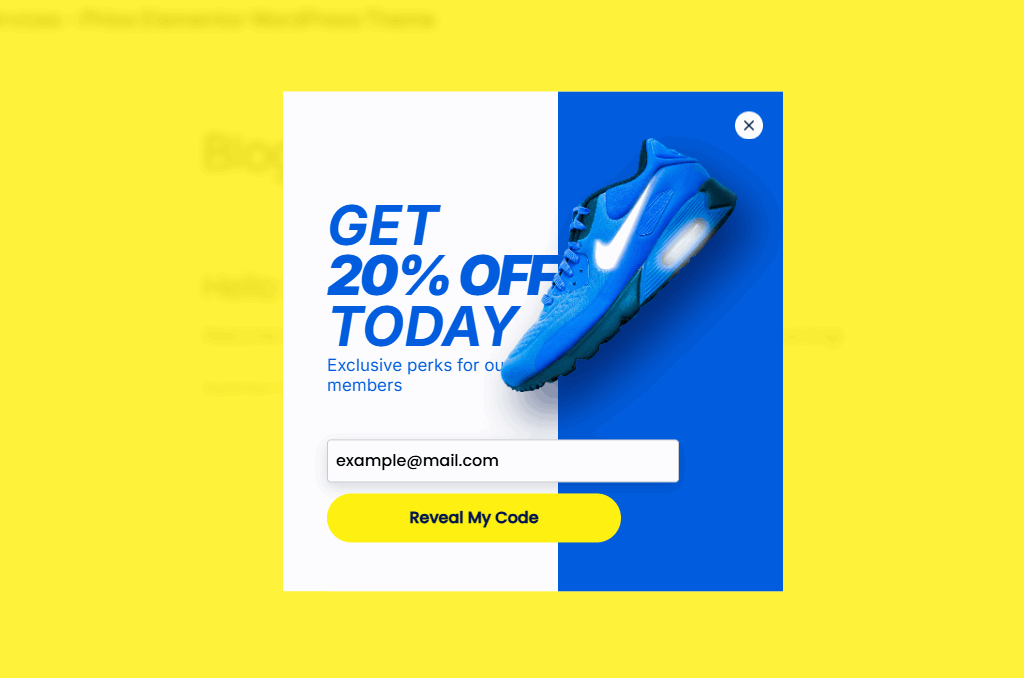
and this is the second step where the coupon code is displayed.
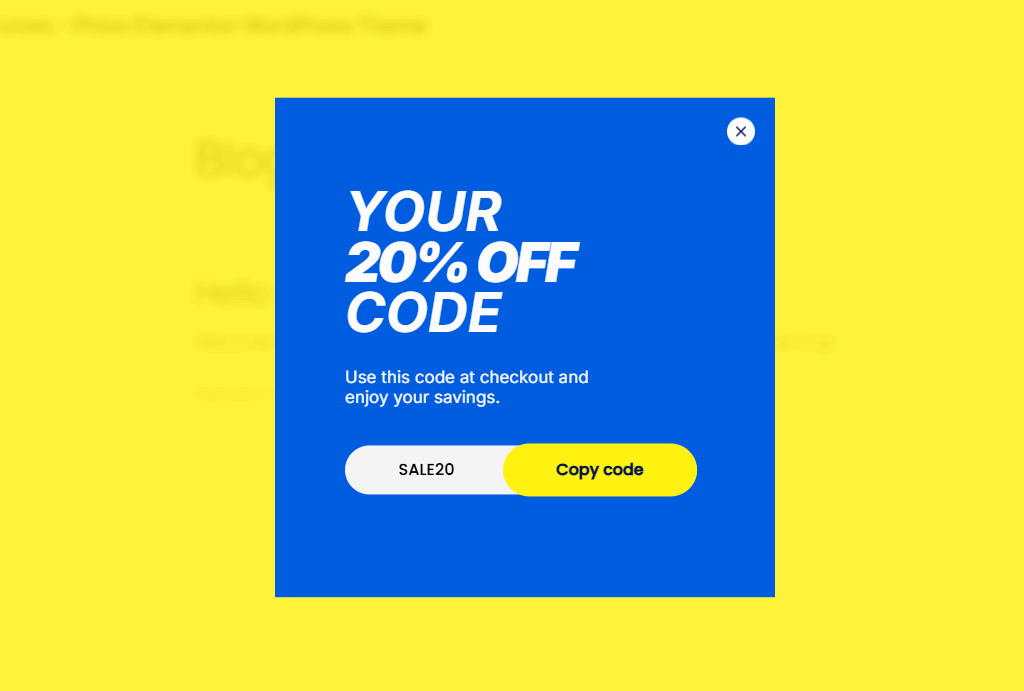
It would look much more appealing if we added a Confetti element on the second step.
From the Depicter editor, go to the desired step, then from the Elements section in the left menu, click on the Confetti element to add it to the editor.
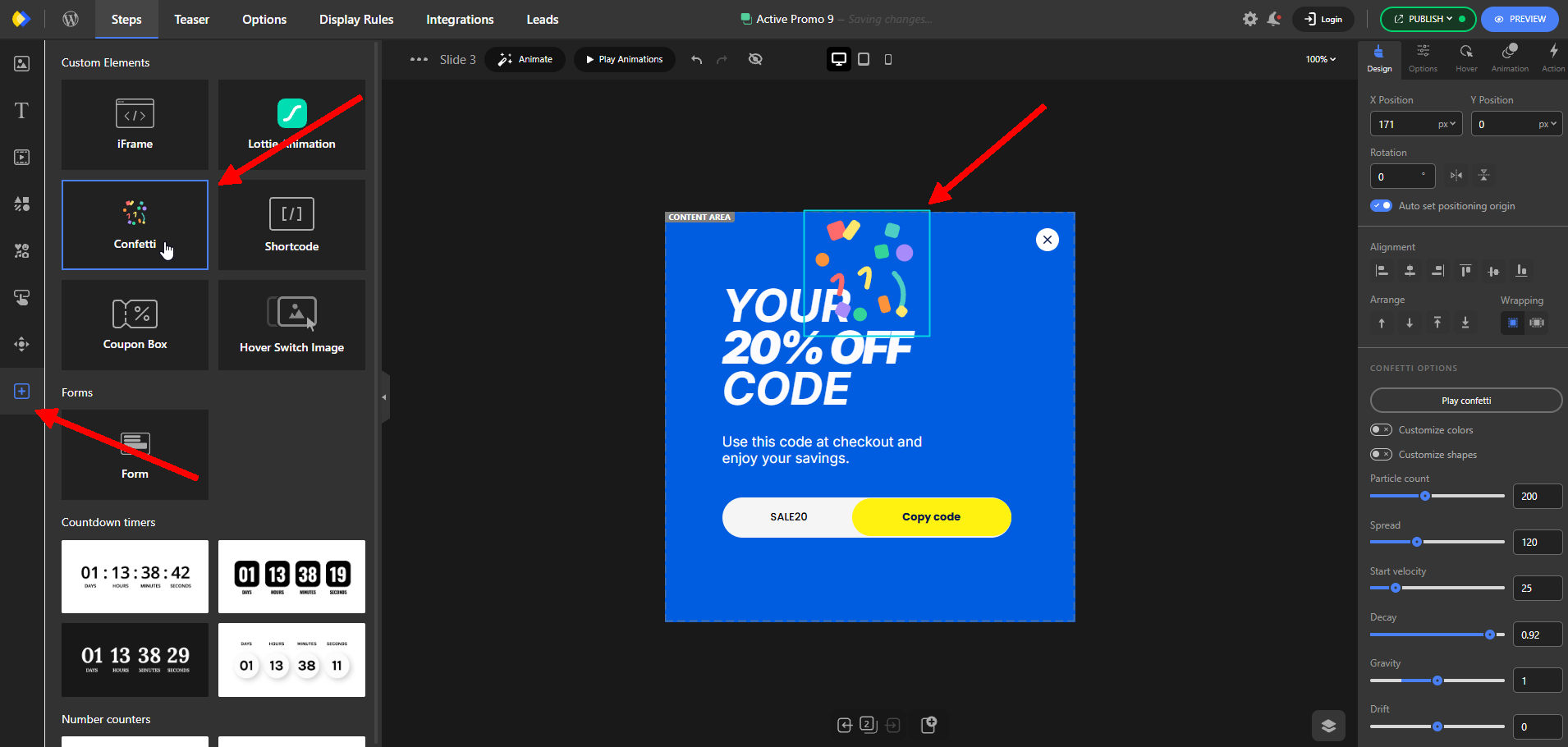
In the Options menu on the right side, there are many settings you can use to customize it.
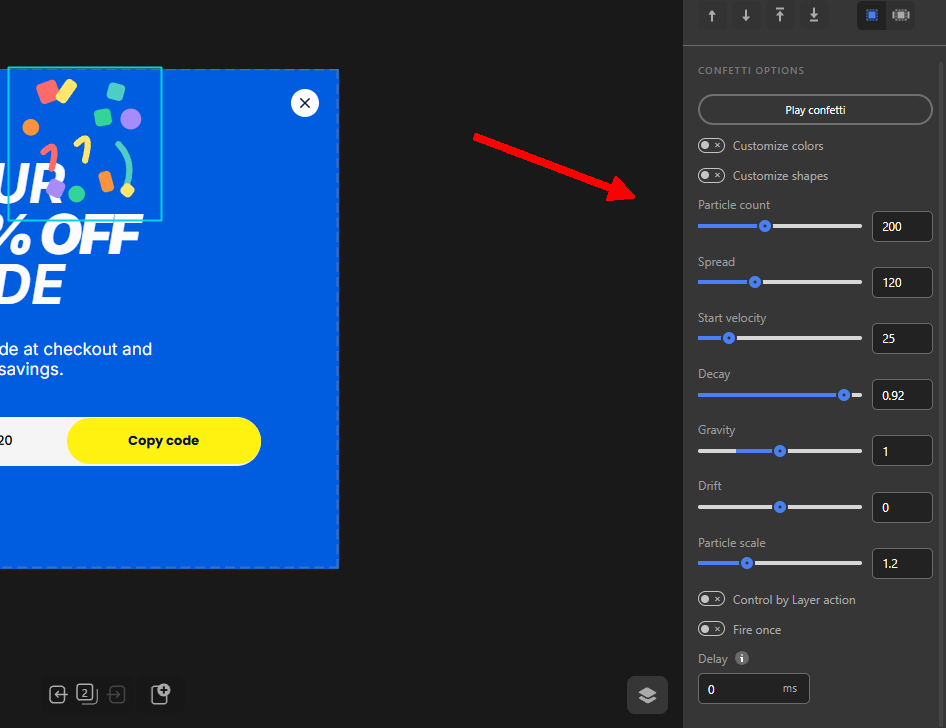
You can adjust the shape and number of the particles, their color, speed, delay, and other options to control the animation
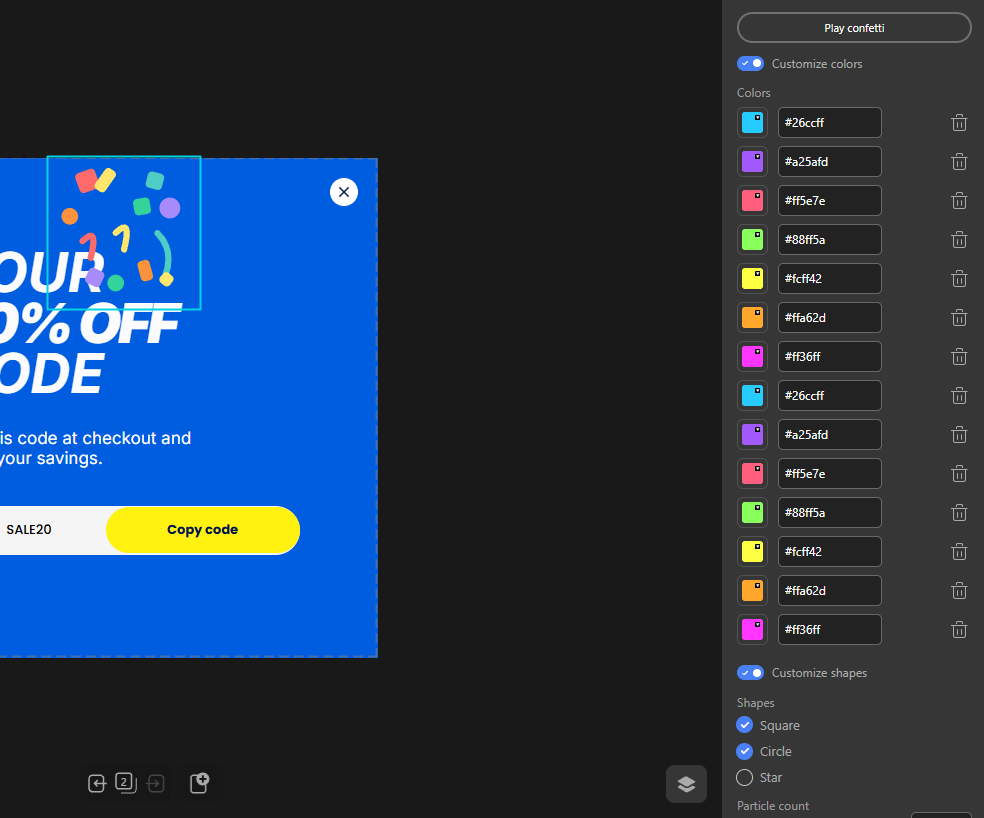
You can also set it to play automatically after the popup step (or slide, in the case of a slider) is displayed, or trigger it with a specific action such as a button click.
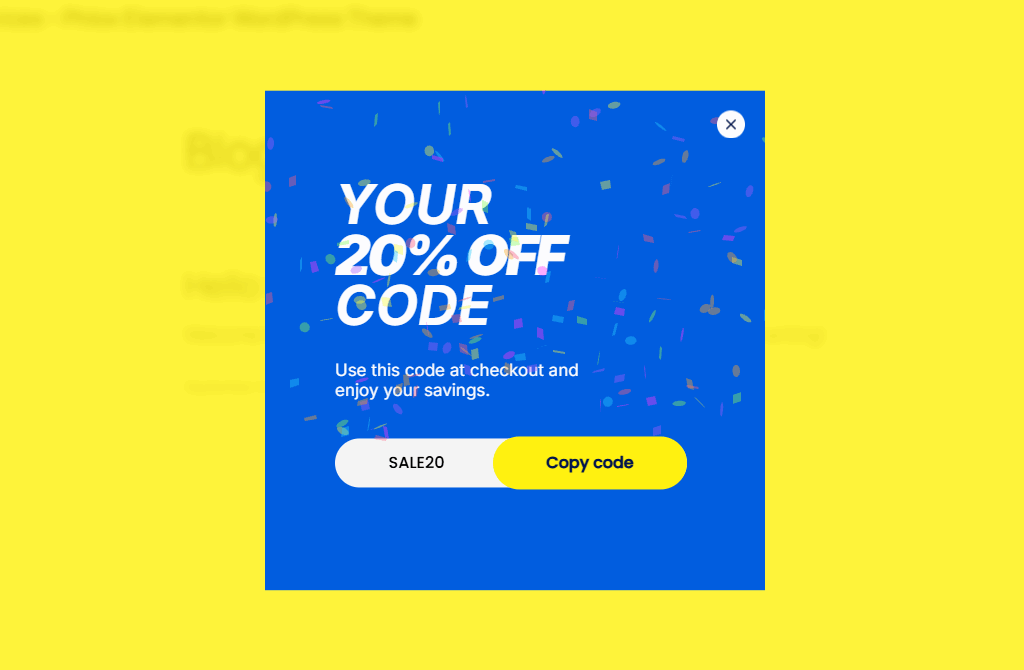
With the default settings, our coupon-code step of the popup looks like this once the Confetti element is added.
Conclusion
A confetti effect on website interactions can be a simple way to make successful actions feel more rewarding and memorable.
Whether you’re celebrating a completed purchase, a successful form submission, a new signup, or an important achievement, a short confetti animation can provide instant visual feedback and add personality to the experience.
However, the effect works best when it has a clear purpose. Keep it short, trigger it at the right moment, and make sure it fits naturally with your website’s design and user experience.
If you’re using WordPress, adding a WordPress confetti effect can also be part of a broader effort to create more interactive and engaging website experiences. With the right tool, you can add these effects directly to your designs without relying on complicated custom code.
Leave Comment