
Website carousels have been debated for years. Some designers see them as powerful visual storytelling tools, while others criticize them for poor usability when implemented incorrectly. The truth sits in the middle. A website carousel can either enhance user experience or quietly damage conversions, depending on how and why it is used.
This guide focuses on website carousel examples, practical use cases, and proven best practices. Instead of re-defining the concept, we will look at when carousels actually work, how successful sites use them, and what mistakes to avoid. If you want a foundational explanation first, you can start with this detailed overview of what is a website carousel.
Why Website Carousel Examples Matter More Than Theory
Definitions explain what a carousel is, but examples show how it behaves in real environments. Many carousel problems do not come from the component itself, but from unclear goals, poor content hierarchy, or performance issues.
Looking at real-world scenarios helps answer important questions. Should this content rotate or stay static? How many slides are too many? Does this carousel support the main goal of the page?
For designers and marketers, examples bridge the gap between theory and execution. For WordPress users, they provide a blueprint that can be adapted without reinventing the wheel.
Common Types of Website Carousels and When to Use Them
Not all carousels serve the same purpose. Understanding the type of carousel you are using is the first step toward using it correctly.
Homepage Hero Carousels
Hero carousels are typically placed at the top of a homepage and are designed to communicate high-level messages.
They work best for seasonal campaigns, multiple high-priority announcements, or brand storytelling for first-time visitors. They often fail when they try to communicate too many ideas at once or when auto-play hides important content before users can read it.
A hero carousel should never replace a clear primary message. If your homepage has one main goal, a static hero section is often more effective.
Product Carousels for eCommerce
Product carousels are common on online stores, especially WooCommerce websites.
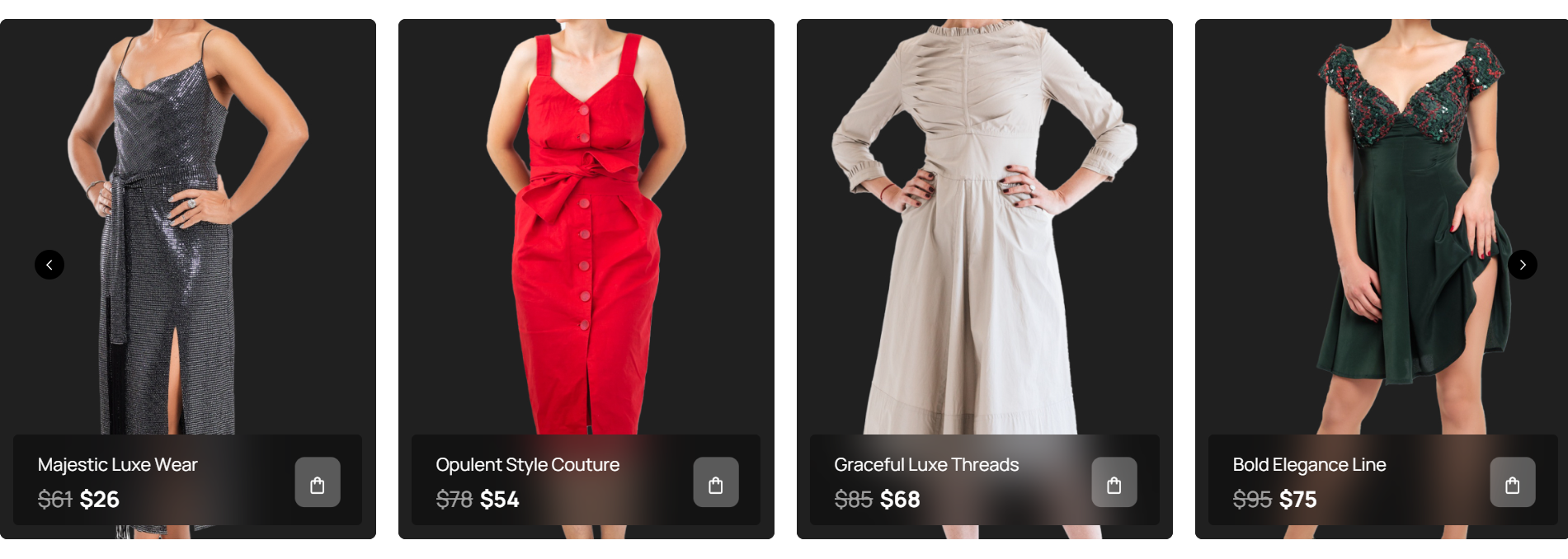
They work well for featured products, new arrivals, and related or upsell items on product pages. These carousels support exploration without forcing users to leave the page, and they usually perform better because users actively interact with them.
Testimonial and Review Carousels
Testimonial carousels help display social proof without overwhelming the layout.
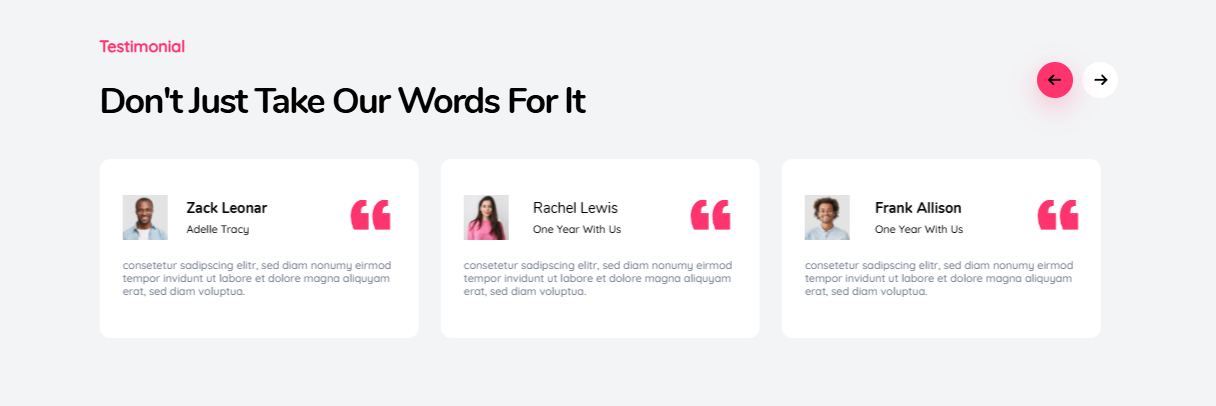
They are especially effective on SaaS landing pages, service websites, and pricing or checkout pages. Rotating testimonials keep the page visually clean while reinforcing trust, as long as the content remains short and readable.
Content and Blog Post Carousels
Content carousels highlight blog posts, tutorials, or resources.

They are useful for showcasing popular posts, category highlights, or editorial picks. On content-heavy websites, they help guide users toward valuable pages without cluttering the layout.
Website Carousel Examples Based on Real Scenarios
Instead of listing specific brands, the following examples focus on scenarios you can apply to your own website.
SaaS Homepage Feature Carousel
The goal of this carousel is to introduce multiple core features without overwhelming new visitors. It usually contains three to four slides, each focused on a single benefit.
Best practices include keeping the main headline static outside the carousel, using clear manual navigation, and avoiding aggressive auto-play. This keeps the core value proposition visible while allowing users to explore details at their own pace.
Online Store Featured Products Carousel
This carousel promotes high-margin or seasonal products. Multiple products are visible at once, usually between three and five, with clear images, pricing, and direct calls to action.
When implemented correctly, this type of carousel supports conversions instead of distracting from them.
Agency or Portfolio Carousel
Portfolio carousels showcase case studies or projects through visual previews and short descriptions. They work best when all slides follow a consistent layout and link to full case studies.
Users expect to browse visually in this context, which makes carousels feel natural rather than intrusive.
Website Carousel Best Practices That Actually Work
Carousels often fail because they ignore how users interact with content. Following proven UX principles makes a significant difference.
Limiting the number of slides is one of the most important rules. In most cases, three to five slides is enough. Adding more usually leads to lower engagement.
Each slide should have one clear call to action. Multiple competing actions reduce clarity and conversion rates. Clear, specific CTAs consistently outperform vague ones.
Auto-play should be avoided whenever possible. If it is used, transitions must be slow, controls must be visible, and users should always be able to pause the movement. Manual control almost always performs better.
Visual consistency is also critical. Similar image ratios, predictable text placement, and consistent navigation reduce cognitive load and make the carousel easier to understand.
Accessibility Considerations for Website Carousels
Accessibility is not optional. Poorly implemented carousels can create serious barriers for users.
An accessible carousel should support keyboard navigation, show visible focus states, and provide controls to pause or stop moving content. Proper ARIA labels help screen readers interpret slide changes correctly.
Designing for accessibility improves usability for all users, not just those relying on assistive technologies.
Performance and SEO Impact of Carousels
Carousels themselves are not harmful to SEO. Performance issues are.
Common problems include oversized images, excessive JavaScript, and animations that block rendering. These issues can negatively affect Core Web Vitals, especially Largest Contentful Paint.
Best practices include compressing images, lazy loading non-visible slides, and keeping animations lightweight. When optimized correctly, carousels can coexist with strong performance and healthy search visibility.
Common Website Carousel Mistakes to Avoid
Many carousel issues appear repeatedly across websites.
Using carousels to hide important content is one of the most common mistakes. Adding slides without a clear goal is another. Removing navigation controls for aesthetic reasons often hurts usability, and assuming users will wait for slides to rotate leads to missed messages.
If content matters, it should be visible immediately or easy to access.
When You Should Not Use a Website Carousel
There are situations where a carousel is simply the wrong solution.
Conversion-focused landing pages with one primary call to action often perform better with static layouts. Legal or informational pages also benefit from clarity over motion. Pages with already fragile performance should avoid adding heavy interactive elements.
In these cases, simplicity usually wins.
Building Flexible Carousels in WordPress With Depicter
Depicter is a flexible and user-friendly tool for creating carousels in WordPress without complex development. It allows you to build responsive and visually appealing carousels for different content types, including images, products, and dynamic data.
With its modern visual editor, Depicter gives you full control over design, layout, and performance while keeping everything optimized and accessible across devices.
To get familiar with how it works, watch this video.
How to Create a Carousel From Scratch with Depicter
Final Thoughts on Using Website Carousels Strategically
Website carousels are not good or bad by default. They are design tools that require intention.
When used with clear goals, limited content, and strong usability principles, carousels can improve content discovery, support storytelling, and enhance visual hierarchy. When misused, they quietly reduce engagement and conversions.
For a deeper understanding of the fundamentals behind this component, you can revisit the complete guide on what a website carousel is.
Used strategically, carousels can still earn their place in modern web design.
Leave Comment